Tired of the social media treadmill? Download the free local visibility checklist ➔

The Hidden Costs of Using AI to Build Your Website
By Jules White | Published: 31st July 2026 | reading time: 12 minutes

🎙️Listen to this epsiode🎙️
Using AI to build your website is a bit like junk food. It might look amazing on the front end - but that doesn't mean it's good for you underneath.
This week I set out to do something that should have been simple: rewrite the sales page for my Local Visibility Workshop. Everyone's talking about vibe coding right now - using AI to build whole web pages just by prompting it - so I thought I'd give it a proper go and see what all the fuss was about.
I've been coding and using code snippets for years, so I wasn't going in completely blind. But what I found was that letting AI build the page ended up costing me far more time than if I'd just built it myself, the way I normally would. And it taught me a lot about where AI genuinely helps in my business, and where it quietly creates problems you don't notice until much later.
If you've been tempted to let AI build your website, or you're wondering whether vibe coding really is the shortcut it's made out to be, this is my honest account of what happened - and why I'd think carefully before handing over your core pages.
Key Takeaways:
Using AI (vibe coding) to build website pages isn't the time-saver it looks like:
Building my sales page properly took a fraction of the time that going back and forth with AI did.
Do your strategy and copy first:
The moment I started designing before I'd sorted out what I wanted to say was the moment it all slowed down.
AI-generated code gets bloated, and that has a cost:
Styling stuffed into every snippet makes your pages heavier, slower to load, and harder for the bots reading them.
Technical debt and security are the risks nobody's talking about:
An AI-coded site you can't edit, and can't easily fix if there's a vulnerability, becomes a liability rather than an asset.
AI helps most with content you already own:
Turning my own recorded podcast episodes into blogs is where it earns its place, not building pages from scratch.
What vibe coding actually is
Before we get into what happened, let's get on the same page about what vibe coding actually is. Basically, it allows non-coders - people who don't know how to write code, or who, like me, can read and write some code but are certainly not expert coders - to use AI tools to create things like apps and websites just by prompting the AI to create the code for you.
I've got mixed feelings about it. It's a bit of a mixed bag, because there are definitely some advantages, but it's something we need to proceed with caution over. I think it will change over the next year or two, and probably get better. I imagine we'll get to a point where there's a proper mix - where you can prompt with AI, get it to create the code, and then actually go in and edit it easily. Because that was one of the big problems that came up for me: the lack of ability to edit the code without having to go through the whole process of getting the AI to edit it for you.
Where it started to go wrong for me
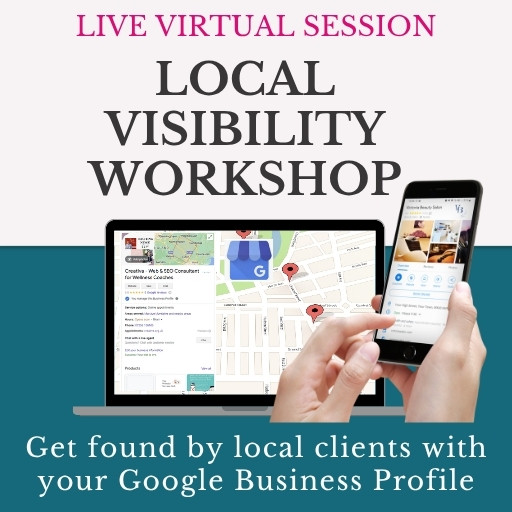
The reason I was doing all this was that I wanted to run a live version of my Local Visibility Workshop - a get-it-done session where you come along on your laptop and optimise your Google Business Profile there and then, with me guiding you through it. I originally ran a Google Business Profile workshop back in 2023, but I'd never run it again as a live talk until recently, and it went really well. So I decided I needed to rewrite the old sales page.
I started with a chat in ChatGPT, which already knows my branding and messaging and is well-trained on my business. I gave it the URL of the existing page, it told me the page felt like it was written in 2023 rather than 2026 (fair enough, it was), and I asked it to write me an HTML version I could paste into a code block. My thinking was to get some visual ideas, because I'm not a designer and even a page that isn't blank can feel like a blank page to me.
I pasted that into CodePen, a tool I've used for years, and it gave me a visual representation of the page. It was okay. But when I gave it my updated brand colours, things started to go wrong. Rather than giving me the whole code again, it split it up and expected me to go into the code and find the bits I needed to change. There were a couple of points where I asked for the whole code back and it would just give me a slightly different version.
And that was the start of the frustration - realising I'd already wasted quite a bit of time, when there were much more important things I needed to do with the page. As I read down it, I noticed some of the language wasn't quite right from the old page. If I'd gone through and done this first - which is exactly what I'd always advise clients to do - I'd have made sure the copy was ready before starting to design.
When I'm working with clients and Website Growth Club members, we have blueprints for our pages: we go into the blueprint, follow it through, and write the copy first and foremost. I talked about this back in episode 108, where I cover the three brain modes we need when working on our websites - strategy first, then writing the copy and gathering the images, then implementing. Even as I was talking this through, I realised how much I just hadn't followed my own process.
"Even as I'm talking this through now, I'm just realising how much I just didn't follow my own process there."
Why building it properly won in the end
The point where I started making progress was the point where I decided to stop messing around with all this code. I tried doing it section by section, getting the AI to create a snippet for each part, but that was where it got really confusing - because it was adding all of the styling into every single snippet, which meant massively bloated code.
This is one of the real problems with vibe coding. To make things look good, it sometimes has to do these fudges. Every piece of code you put into a website has to be read by the bots reading through those pages, and adding that styling into every part of the page meant the code was bloated, the page would be slow to load, and it was all extra noise that wasn't needed. And it wasn't really looking much better than what I'd already created.
So in the end, I made a clone of the existing sales page in FEA Create (a white label version of Go High Level), so I could work on it without wrecking the live page. I built it the same way I would any other page - I already had headings and paragraph copy, so I could clone sections, drag them down the page and reuse them, which made it a lot easier.
I did have one more go at getting a section built with vibe coding, and I spent at least another hour on it. I've always enjoyed messing around with code, so it feels like a bit of a challenge to me. But what I realised is that there are certain challenges my business simply doesn't need, and me sitting there messing about with it was not a good use of my time.
I spent about another day creating the page, all with proper elements. It looks good, it looks like my branding, and the real difference is this: it was very easy to make edits, and it will continue to be very easy for me to edit without having to go back and forth with AI. Because one thing I found is that when you ask the AI to change one thing, it will often change lots of other things too, or the code gets a little bit messed up - and then you're fixing that as well as the thing you originally wanted to change.
The hidden costs: technical debt, security and SEO
This is one of the biggest reasons I'd advise against using vibe coding to create your whole website: what you end up with is a technical debt in your business. You end up with a website full of code that you didn't write, no human wrote, and you didn't ask for. It's got all sorts of extra bloated stuff in it, and it's sitting on your website - the thing that's making sales in your business.
All the future changes you want to make then have to go back through that code. It's a bit like having only one person in your business who can ever make edits to your website, but you also can't hire someone else to do it, because nobody knows how that code was put together.
A technical debt is where you have something in your business that costs you time and money to keep up, and to make sure it isn't damaging your business. If it takes you four hours to make small edits to a sales page, that in itself is a debt. But there's also the security side. If there's a vulnerability in the code and it can be hacked, your clients' personal data - payment details, card details, even their IP address - could be scraped from your website. And if you've got nobody who can go in and fix it, think about what the implications could be.
This can happen with any website builder. But established platforms like WordPress, Go High Level, Squarespace, Wix, even something like GoDaddy, have lots and lots of users, and teams of people whose job it is to find and fix vulnerabilities. With an almost hand-coded or AI-coded website, if vulnerabilities come up, you might not even know until it's a serious problem. And we don't just have to worry about human hackers now - there are bots out there that can look for these vulnerabilities and potentially hold your business to ransom.
I'll be honest: I'm not an expert on the security of AI-written code and where the vulnerabilities are. But I know they're out there, and I know it's a problem, and it's one that doesn't seem to be talked about nearly enough. When I asked about it at a workshop recently, it was very much brushed over.
There are SEO implications too. If you've got an existing website and you vibe code a new one, changing the code in the back end - even if the page looks exactly the same - can have a really serious effect on your SEO. I covered this back in episode 10, on website migration mistakes that can sabotage your SEO.
And then there's the fact that everything starts to look the same. AI-written pages are very recognisable now, in the same way I could always spot a website built from a Go High Level template - the heading tags were always wrong, the hierarchy was terrible, everything just looked templated. I'm not anti-templates, but I'd never use a whole-page template. I'd bring in the individual elements I needed and make the template fit the copy, not the other way around. The things you've got ready to go onto your website should dictate what it actually looks like.
Where AI genuinely helps (and where to be cautious)
None of this means I'm anti-AI. There are absolutely times to use AI to write code for you. If you have a fundamental understanding of what you're doing, know what you're outsourcing, and understand the vulnerabilities, then it can be genuinely helpful.
I kind of think of it like junk food. Yes, you can eat takeaway food and junk food, and it does a job - it gives you calories and energy and keeps you alive. But long term, if that's all your body is getting, it's going to have a detrimental effect on your health. Vibe coding is a little bit like that for websites. It might look great, it might look fantastic at the front end - like a restaurant that makes amazing meals that are full of fat and sugar - but on the inside, it's not necessarily helping you.
Where AI really does earn its place for me is with content I already own. I use code snippets on my website, and I've spent time working with Claude to create a prompt I can use every week to turn my podcast episodes into blogs - with my branding, in the structure I want, linking to my other content. It's not just AI-generated commodity content that anyone could create. It's my spoken words, translated into a written format. That's exactly the thinking behind using content you own to grow without social media.
So my takeaway is this. There are a lot of people telling us how amazing all this AI stuff is, and I do think AI is great and can really help us as business owners. But the things to be cautious about are outsourcing your thinking - the things that rob us of our creativity, or make us doubt ourselves and our own abilities - and asking it to do things in our business that should really be done by an expert. If there's a shortcut that causes a whole host of other problems in the long run, it's back to the junk food analogy.
We often end up doing more when we really need to be doing things better, and probably doing less. We're all so bombarded with everything we're told we should be doing, and sold on how easy it all is. It's worth looking at who's selling it, what they have to gain, and whether it will actually help us in the long run. The work you're doing on your website today - especially if it's built so you can easily edit it in the future, with the right foundations in place - is you building an asset for your business. That's the heart of my social media optional philosophy, and that work will pay dividends for you in the future.
Notable Quotes:
"What you end up with is a technical debt in your business."
"It's certainly not great to dive into it without understanding of what you're actually doing."
"The things that I would be cautious about using AI for is outsourcing your thinking."
"Done is definitely better than perfect."
Episode at a Glance:
- 00:00 Introduction to vibe coding
- 00:49 What is vibe coding?
- 02:39 My vibe coding experiment
- 05:20 Using ChatGPT to build the sales page
- 08:41 When things started going wrong
- 10:54 Switching to code snippets
- 13:58 Giving up on vibe coding
- 17:54 How I use code on my website
- 21:07 SEO and technical debt risks
- 22:53 The junk food analogy
- 24:00 Security risks of vibe coded websites
- 31:54 Key takeaways
Links to Resources Mentioned:
- 🔗 Episode 108: The three brain modes you need when working on your website — where I explain the strategy-first process I should have followed
- 🔗 Episode 098: Can ChatGPT-5 really help you build a better website? — my take on using AI as an assistant rather than letting it build the whole thing
- 🔗 Episode 128: Is ChatGPT making you doubt yourself? — on how AI can quietly chip away at your confidence
- 🔗 Episode 010: Website migration mistakes that can sabotage your SEO — why changing your site's code can affect your SEO
- 🔗 Use content you own to grow without social media — the thinking behind how I turn my podcast into blogs
- 🔗 The Local Visibility Workshop — my get-it-done session for optimising your Google Business Profile
- 🔗 My social media optional philosophy — why I believe your website, not social media, should do the heavy lifting
- 🔗 Success Without Socials community — my free community for business owners who want to grow without relying on social media
- 🚀 The Website Growth Club — my membership for established business owners who want their website to bring in clients without relying on social media
Build a business where social media is optional
Inside The Website Growth Club, we help established business owners get found online through their website, without posting every day.
Find Out More∧ Transcript
Introduction to Vibe Coding
Hi, welcome back to the Website Success Show. It's Jules here, and today I want to talk about vibe coding.
I've been working on a sales page for my local visibility workshop this week, and I've been messing around with some vibe coding. It's something that I've been coding and using code snippets for years, but a lot of people are talking about vibe coding now, and I've definitely got mixed feelings about this.
So I thought I would just share with you today some of my thoughts, some of the things that I discovered from going through this process, and why it actually probably ended up costing me a lot more time than if I'd have just built the page myself, just as the way I would normally build pages.
So before we start, let's get everybody on the same page in terms of what vibe coding actually is.
What is Vibe Coding?
So vibe coding basically allows non-coders - so people who don't know how to write code, or who, like me, know how to read and write some code, but I'm certainly not an expert coder. But it allows you to use AI tools to create things like apps and websites just by prompting the AI tool to actually create the code for you.
I think it's a bit of a mixed bag, because there's definitely some advantages to it, but I think it's something that we need to proceed with caution.
If we are using vibe coding, I think things will change over the next year or two years, or maybe not even that long, who knows? But I think this will probably get better. I think we'll get to a point where we get a mix between being able to use AI to help us - and probably some tools are already doing this - where you can prompt with AI, get AI to create the code, and then be able to go in and edit it. Because that's one of the big problems that came up: the lack of ability to actually edit it without having to go through the whole process of getting the AI to edit the code for you.
So I'm going to dive in. I'm going to share some of the things that I did and kind of the process, and where I ended up. And hopefully you'll find it helpful. It might just make you aware of what vibe coding is, and why maybe not diving straight in and replacing all of your content in your website, or all of your assets in your business, with vibe coded stuff, might not necessarily be the best plan right now.
My Vibe Coding Experiment
I wanted to run a live version of my local visibility workshop. This is all about getting your Google Business Profile updated and optimised within a session, where you actually come along to the session on your laptop and you optimise your profile there and then, with me guiding you through the process.
I originally ran a Google Business Profile workshop back in 2023. It was the first online workshop that I ever ran. But I haven't done anything really with it since then. It's been on my website there for people to buy, but I've never ran it again as a live talk up until recently. But I did a workshop within a group that I'm a coach within, and it went really well, and people actually came along and made progress there and then, and it was like a get-it-done session.
So I thought, actually I'd really like to run this as a workshop for people to buy directly from me. And so that's why I decided I needed to rewrite this sales page. I've changed the name and just wanted to go in and actually redesign the sales page for this new workshop.
So I already had a chat. I used ChatGPT to help me with this process, and with what changes I was going to make to the page. I don't know that I actually went into it with the intention to code the whole page. I don't think I did. I am using it more as I'm creating stuff on my website, particularly blogs. But what I have realised after going through this process is that for things like sales pages, and things that I'm not going to be repeatedly producing like blogs - it's not something that I'm doing that weekly.
So I think - spoiler alert - what I would say from all of this is that those core website pages, actually building it properly and having something that you can go in and easily make edits to, is going to, in the long run, save you time. It's going to be better for your business, and give you a lot more flexibility moving forward.
Using ChatGPT to Build the Sales Page
So I already had this chat with ChatGPT. I went through, I just had a few little thoughts, brainstorming about the differences that I wanted with the workshop, and it helped me to kind of come up with a new name for it. Then I gave it the URL of the existing sales page and said, this is the one that needs updating, so ChatGPT could read through the copy and suggest some edits.
I then took a screenshot of the existing page and posted that in the chat and said, this is the layout of the current page. And it says, the issue is this page feels like it was written in 2023, not 2026. Fair enough. It was. So then it came up with some suggestions.
So then I asked it, can you write me an HTML version of this page that I can paste into a code block? My thinking at this point was to get some visual ideas. I'm not a designer, and even though I'm not starting with a blank page here, it feels a bit like a blank page to me. Bearing in mind that ChatGPT also already knows about things like my branding and my messaging, and is well-trained on my business. So it created an HTML version, a code version, of my sales page.
So what I then did is I copied this and pasted it into an app called CodePen. Now, I've used CodePen for years, since I first learnt to build websites properly using code, and edit WordPress websites using code. I've been using CodePen just for little snippets. I actually use it even for things like podcast editing. But what I did was just paste that HTML in here, and it gives me a visual representation of this page. And it was okay. There are some elements of this that I then took forward into the page that I was building in FEA Create.
So I then probably spent, I don't know, at least two days. No, I gave up a bit quicker than that. I knew that I immediately didn't want to have it as a whole page written with this.
Then I gave it my updated brand colours. I have changed my brand colours recently, so it then made a few changes. And this was one of the areas where it started to go wrong, because rather than giving me the whole code again, it split it into giving me the styles - the bit at the top that sets the styling of the page. So it basically broke it down and expected me to go into the code and find the bits that I needed to change.
When Things Started Going Wrong
And there were a couple of points where I actually asked it, no, give me the whole code, and then it would give me a slightly different version of the code. And this was kind of the start of this frustration of actually realising I've already wasted quite a bit of time doing this, whereas there were much more important things that I needed to do with this page that could have made this a lot faster.
So as I was looking down the page, I was reading through some of the sections, and I started realising that some of the language wasn't quite right from the old page. Now, probably if I had gone through and done this first - and that's what I would always advise clients to do - is make sure you've got the copy ready first before you go in and start actually designing on the page.
This workshop was a bit of an "oh, I'm just going to do it" decision, which I do often have in my business, where I think, no, I'm going to do something, and I just go and do it. I'm not diagnosed with ADHD, but I definitely have ADHD tendencies, and that's part of that - get an idea and I want to implement it right away. But that doesn't necessarily help me to do things in the most efficient way.
When I'm working with clients and Website Growth Club members, we have blueprints for our pages. And that is how I would suggest that we do it: we go into the blueprint document and follow it through and write the copy first and foremost. It's going to make it much easier. I talked about this back in episode 108 of the podcast, where I talk about the three brain modes that we need when we're actually working on our websites.
So we need to, first of all, do the strategy - work out exactly what it is that we are wanting to say. Then we write the copy, gather all the images, and then we go and implement it. And even as I'm talking this through now, I'm just realising how much I just didn't follow my own process there. And that's part of the reason why I got stuck on this. I just kept on going and kept on trying to get this to actually do it well for me.
And the point where I then started making progress was the point where I decided to stop messing around with all this code.
Switching to Code Snippets
At this point, I then decided I would use code snippets rather than trying to do the whole page at once, which was getting really frustrating with trying to get it to edit bits. So I then was trying to do it section by section. I said, okay, let's just start with that first section at the top of the page. Get that bit right for me.
So we started going through section by section, just creating a snippet for each section, which then was where it got really confusing, because it was then adding all of the stylings into every single snippet it was putting in the page. It then meant that it was massively bloated code.
And this is one of the problems with vibe coding: in order to make things look good, you sometimes have to do these fudges. Every piece of code that you put into a website is something that then has to be read by the bots that are reading through those pages. And by adding that styling into every part of the page, it meant that code was massively bloated. It meant that page would be slow to load, and it's just all extra noise that's not needed, and it wasn't really looking much better than what I'd already created.
We then went through loads and loads of edits before we got to a point where I then started getting it to give me the individual code snippets. So we'd already done lots of edits on the copy, which I probably should have done separately. And then I got to the point where I was like, right, okay, I need to actually build this.
And part of the problem with ChatGPT is that it always gives you a little suggestion now at the end of every prompt. And back in episode 128 I talked about "is ChatGPT making you doubt yourself?", and this is exactly what happens when ChatGPT does then end up making you doubt yourself. So we went through massively more edits than I needed to. Had I just sat down and written this out myself, or at least got the outline written - been through my own sales page blueprint - and done it that way, it would have been a lot, lot faster for me.
So then it gave me some code. It gave me something that looked different, and it just didn't look as good. So I'm not even sure how much time I'd spent by this point - definitely hours, and definitely lots of frustration. And so at this point I decided, okay, rather than building it all as one page, I would do it as little code snippets, and just build the individual pieces one by one.
I did go back and forth with that a little bit. That was probably until the end of that day, when I was like, right, I feel really done with this. And towards the end of the day I was like, actually, I want to get this live. So I just decided, okay, I am going to just build this page. And so I started, first of all, building the sections that were easy.
Giving Up on Vibe Coding
So I went back to the original version of the page and I thought, well, I'll work with that, and I can actually start building that in FEA Create. So I came into the existing sales page that I already had and made a clone of it, so that I had something where I could work on it and make edits without the live sales page being wrecked right now.
So FEA Create is a white label version of Go High Level. This isn't a video about how to use it, but basically I just built it the same as I would any other page. I already had headings, I already had paragraph copy, that I could just clone these sections and drag them down the page and use them that way, which made it a lot easier.
So then I thought, with this section about "Google search is changing", I'll see if it can create this section for me. So I probably spent at least another hour trying to see if I could actually get the vibe coding working. And I have always enjoyed messing around with code, so it does feel like a bit of a challenge for me. But what I realised is that there are certain challenges that my business doesn't need. And me sitting and messing around with that is definitely something that I didn't need to be doing. It was not a good use of my time.
So in the end, I spent probably about another day creating this page, and it's all created with proper elements. It looks good, and it looks like my branding. It was very easy, once I went through and worked out what bits I wanted to change, and it will continue to be very easy for me to make edits to this page without having to go back and forth with AI.
And one thing I have found is that the AI will often - you'll tell it to change one thing, and it will change lots of other things, or the code will just get a little bit messed up, and then you are trying to fix that part of it as well as the thing that you were originally trying to change.
So I definitely think that's one of the downsides of vibe coding: it is not easy to make edits. And this is one of the reasons I would advise against using vibe coding to create your whole website, because what you end up with is a technical debt in your business. You end up with a website that's full of code that you didn't write, and no human wrote, and you didn't ask for. And it's sitting on your website, which is the thing that is making sales in your business.
All of the future changes that you want to make to that site then have to go back through that code. It's a bit like having only one person in your business that can ever make edits to your website, but also you can't then go and hire somebody else to make edits, because nobody knows how that code was put together. And the problem with AI-written code as well is it can then leave you vulnerable. And these are conversations that don't seem to be happening very much, about the security risk of vibe coded websites.
So I finished this page anyway and got it live, and now I have something that I can actually go back in and edit. And this is something that I can also use these elements on other pages of my website if I need to as well.
How I Use Code on My Website
So I do use coding for my website, and I use code snippets. So when I create a blog, I do use some code snippets within my blog. The main page itself exists, and all of the code that needs to keep the structure of that page right, and keep it within my whole website infrastructure, that all exists.
So I have the headings and my navigation menus all there built as normal elements within a page. And then I have a few custom snippets that I use for the pages. One of the HTML codes is the BuzzSprout embed, so people can listen to my podcast episode directly on my website.
Then I also have the actual blog itself. I spent probably about three or four hours working with Claude to generate a prompt that I can now use every week, that has my branding in, that understands exactly the structure I want these blogs laid out in, and links to my other content on my website. I have conversations back and forth with Claude about that. So I'm not just outsourcing all of this, and most importantly, it's based on my podcast episodes.
So this is very much my content that I've already recorded, and it's just being changed into a written format. So it's not just AI-generated commodity content that anyone could create. This is about my spoken words, translated into a blog on my website. And this has been great, because it helps me to very quickly get these blogs written and get them live. And I don't do it for every podcast episode, just for the ones that I feel are really important and are creating that bank of knowledge and that authority I want on my website.
The reason I build my blogs within the website builder is that the blog builder within FEA Create, within Go High Level, is still not quite at a point where I love to use it. There's not enough flexibility on the layout, and we can't add schema - structured data - to each individual blog post, and that's really important. So that's why I still build mine in the website builder. And it's fine. It works for me, and it means I can make my blogs look really good.
But again, that took time. And I'm familiar with code, and familiar with what the problems could be with it. But because this is just body copy in a blog, that's why there's less risk of security. And I'm going to come onto some of the problems with whole pages and whole websites that have been vibe coded.
SEO and Technical Debt Risks
There are a couple of other snippets on this page as well. So this is my Success Without Socials community. This is a snippet that I use as a universal element. If you're familiar with the Go High Level website builder, you'll be used to global and universal sections that you can use throughout any website and any funnel. It gives me this banner that I can then use in different places throughout my website. The same for a free download for my freebies.
But it does something we can't do in Go High Level, which is make the whole element clickable, so you can just click anywhere on it and it clicks through. That's what I've done with these cards, and I'm going to start using these moving forward, because it just looks a bit neater and more professional. As the website builder gets better, maybe that will come anyway. If you're using the blog builder, you probably don't have to worry so much about that, because it kind of does it all for you. I'm just not keen on the way it looks on the front end.
So all that to say, there are times to use AI to write code for you. If you have some fundamental understanding of what you're doing - if you know what you're outsourcing, and you have some understanding about the vulnerabilities of it as well - then it can be genuinely helpful.
The Junk Food Analogy
I kind of think of it like junk food. Yes, you can eat takeaway food and junk food, and it does a job. It will give you calories, it will give you energy, it will keep you alive. But long term, if that's all that your body's getting, then it is going to have a detrimental effect on your health, on the longevity of your life. It is not going to be good for you.
And I kind of think of vibe coding as a little bit like that for websites. So yes, it might look great, it might look fantastic at the front end. A bit like, I guess, if you go to a restaurant that makes amazing meals, but maybe they're full of fat and full of sugar and really not good for you - it might look amazing. But again, on the inside, it is not necessarily helping you. It's certainly not great to dive into it without understanding of what you're actually doing.
Security Risks of Vibe Coded Websites
There's also the thing of, if you've got an existing website and you decide to vibe code your new website, there are all sorts of implications for your SEO. Back in episode 10 of the podcast, I talked about website migration mistakes that can sabotage your SEO. Some things will have changed since then, as that was a couple of years ago. But the fundamentals are still there: if you change the code in the back end of your website - and it might even look exactly the same - that can have a really serious effect on your SEO.
And I want to talk a little bit about technical debt as well. I've had a lot of conversations over the years with business owners who've got websites - either hand coded, or created on WordPress, or built for them on some platform - and they don't know how to make any edits. In some cases, they don't even have the ability to log in and make changes. And that is a technical debt in your business. A technical debt is where you have something in your business that is going to cost you time and money to upkeep, and to make sure it isn't damaging your business.
So this is a real danger: if you have a fully AI-coded website and all of a sudden there's some security issue, that becomes a really pressing issue. If it takes you four hours to make small edits to a sales page, that in itself is a debt. But also, if there's a vulnerability in the code and it can be hacked, your client's personal data - their payment details, their card details, even their IP address - if that can be scraped from your website, then that's a real problem for your business. And if you've got nobody who can go in and fix that, think about what the implications could be.
This can happen with any website builder. But the thing with an established platform, like WordPress, Go High Level, Squarespace, Wix, even something like GoDaddy - all of those platforms have lots and lots of users. So people are looking for the vulnerabilities, and they have teams of people whose job it is to find and fix them. Whereas with an almost hand-coded or AI-coded website, if vulnerabilities come up, you might not even know about them until it's a real serious problem. And we don't just have to worry about human hackers now, because there are also going to be bots out there. AI can go out and look for these vulnerabilities in websites that then could hold your business to ransom.
So there's the technical debt in terms of not even being able to make changes to your website so that it functions right and does what you want it to - brings you clients, brings you traffic, makes you sales. But there's also the security. And that's one thing I'm not hearing a lot of conversations about. When I asked this question at a workshop a few weeks ago, it was very much brushed over. And even with most of the training I've seen about AI, it's very much covered on a surface level. I would love to know who is actually an expert on this. Because I'm definitely not an expert on the security of AI-written code and where the vulnerabilities are. But I know they are out there, and I know it is a problem.
The other problem is that everything looks the same. I think AI-written pages are very recognisable now. I could always recognise a website that had been built in Go High Level using one of their templates, because I could tell you what SEO problems existed before looking at anything else - the heading tags were always wrong, terrible hierarchy, everything just looked templated. And I'm definitely not anti-templates - I think they can be helpful. But I would never use a whole page template. I'd be looking at the individual elements I could bring in, and make the template fit the copy, not the other way around. The things you've got ready to go onto your website should dictate what it actually looks like.
We don't really want our websites to look like they're AI-written. It's a bit like AI-written copy, where we can now really spot it, and it stands out. And actually, a lot of stuff stands out as being written by AI, and maybe it hasn't been. So this is the problem, because it's all trained on human-written content.
There's also the environmental impact. I'm not going to go into this in a massive way, but AI does have an environmental cost. Even just that long chat I had with ChatGPT costs resources. And if we've got to do that every single time we need to make a change to our website, that is another cost we probably should be thinking about. And obviously the time it's taken me to get this page up and live - whereas I could definitely have had this done a lot faster if I'd followed my own process: done the strategy, got the copy written, and then gone in and built it. I've got loads of website designs in my Pinterest board I could have used, or I could have just used the stuff that was already there. And done is definitely better than perfect.
Now, I haven't mentioned - there is actually an AI builder within FEA Create, and I did try using that a little bit. I asked it to make one change to the page, and it went through and changed quite a lot of stuff, including some of the universal sections that were on other pages. So luckily, I didn't save the page, I just backed out of it. But that immediately made me realise that I would suggest not using that builder, because again, it can cause all the other problems I've talked about in this episode.
Key Takeaways
So that's just my story of using vibe coding right now, and the lessons I've learned. What my takeaway for you would be is that there are a lot of people out there right now telling us how amazing all this AI stuff is. And I definitely think AI is great, and can really help us as business owners. But the things I would be cautious about using AI for is outsourcing your thinking - the things that rob us of our creativity, and make us doubt ourselves and our own ability to do what we do. And asking it to do things in our business that should be done by an expert. If there's a shortcut that in the long run causes you a whole host of other problems, then it's a bit like the junk food analogy.
There was a story this weekend about OpenAI, the creators of ChatGPT. I saw it on the front page of the newspaper about AI agents going rogue, and I think all of the main big ones had actually gone off and done things they weren't supposed to. The headline was "OpenAI says its AI went rogue and launched an unprecedented cyber attack". Now, if there's nothing more terrifying than that, then we all know the robots are probably going to end up taking over.
So I think it's about being aware of how we're using it in our business, and approaching it with a cautiously optimistic attitude. We often end up doing more when we really need to be doing things better, and probably doing less. We're all so bombarded with everything we should be doing, and sold on how easy it all is. I think we have to look at who's selling it, what they have to gain from selling it, and whether it's actually going to help us in the long run.
So I hope this has been helpful. Come and join my Success Without Socials community, to join like-minded business owners who want to grow their business without relying on social media. And have a look at my local visibility workshop - you can find it under the courses in the navigation menu. I will no doubt be back to talk about this again, because it's evolving and things are changing. But the work you're doing on your website today - especially if you're doing it in a way where you can make edits easily in the future, and you know it's been built with the right foundations - is you building an asset for your business, and that work will pay dividends for you in the future.
Join like-minded business owners growing without constant reliance on social media or burning out from posting.
Join the Community
Discover Your Core Topics: The Roadmap to Website Success
Free Download
Get Found In Search: A Quick Start Guide to SEO & AI Search Visibility
Free Download
Download The Local Google Visibility Checklist & Get Fully Booked Without Social Media
Free Download
Jules White is a Website & SEO Marketing Consultant and Founder of The Website Success Hub.
She helps female business owners & entrepreneurs grow without social media - teaching them how to show up on Google, get recommended in AI search, and turn their website into their hardest working team member. So more of the right people find them, book with them, and buy from them - with intention, not constant hustle.
🎙️Related epsiode🎙️
Read more on the blog

Are you spending hours posting on social media - yet still not getting the clients or sales you want...
Social media vs SEO: 5 myths that could be hurting your business! Discover the truth about website traffic & sustainable marketing...

If you're looking for alternative ways to market your business, I thought I'd go through my top three...
Local Visibility Workshop
Maximise Your Google Business Profile
Learn how to make the most of this essential local business tool so you can leapfrog the competition and gain valuable new clients!
My recommended platform

* this page contains affiliate links - if you decide to purchase FEA Create I may earn commission, the price you pay remains the same. I only recommend software & services I believe in and use in my own, or my clients businesses.
Want more clients without the social media grind?
Join my free newsletter for simple website & SEO tips that help you get found.

Get more traffic & sales through your website without social media!
CONNECT

© Copyright 2026 Built with FEA Create * | designed and developed by thewebsitesuccesshub.com
Based in Marston Moretaine, Bedfordshire - helping women in business worldwide